Skip to content

Automation & AI integration.

Less busywork.
More useful software.

Connect your systems and give your applications new capabilities. We build automation and AI into the work your customers and team already need to do.

Talk through a workflow
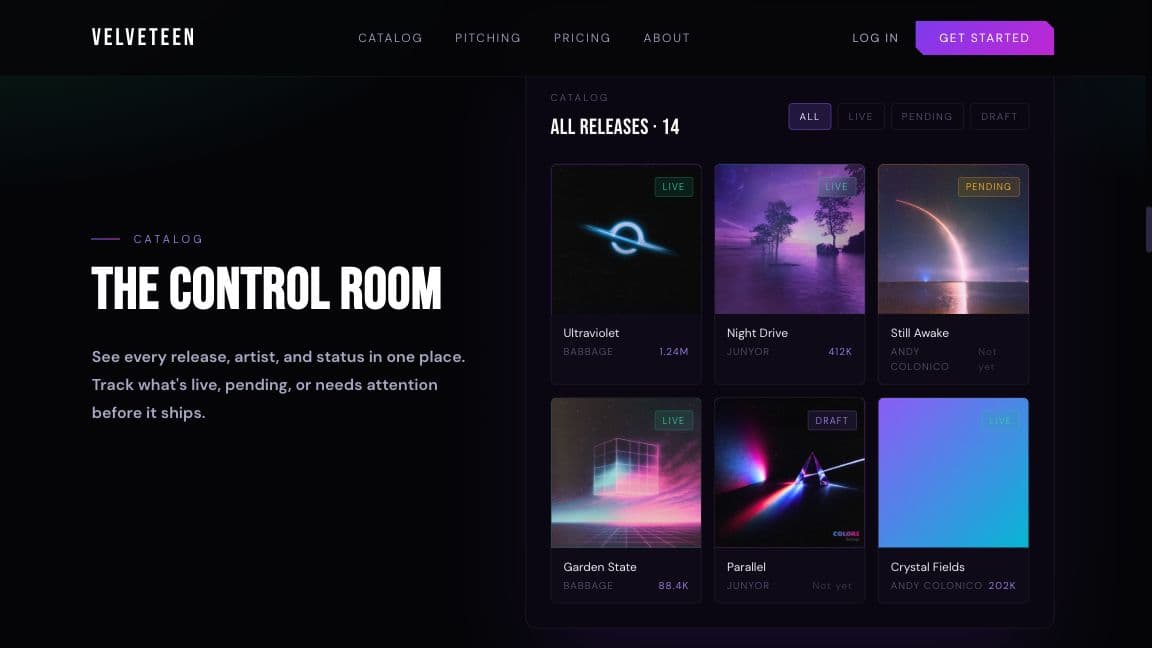
The public product tour for Velveteen, our own music operations platform
Our own Velveteen platform brings connected workflows and an AI assistant into one application. Public product tour · Illustrative data.

Useful things
we can help you build.

A new product or an existing application. One clear workflow is a good place to begin.

Connect the work.

Integrations · Workflow automation · Internal tools

Move information between the systems your team uses. Keep records in sync, prepare recurring reports, and make the handoffs easier to follow.

For exampleA completed form becomes a record in the right system, with missing information flagged for someone to check.

Find the right information.

Knowledge search · Document workflows · AI assistants

Help people search across documents and records, with answers grounded in information they have permission to access.

For exampleA team member asks a question, sees the relevant source material, and opens the record they need.

Give people a head start.

Summaries · Classification · Drafting & review

Summarize a long record, organize an incoming request, or prepare a draft. Keep editing and approval in the application so the result fits the next step.

For exampleAn incoming request is summarized and routed, with a suggested reply ready for a person to review.

The whole application
still matters.

AI is one part of the build. The interface, data, permissions, and failure states need the same care as the feature itself.

Where does AI belong?

Use the right tool for the step.

Predictable decisions often need ordinary rules. We use AI where interpreting language or unstructured information makes the feature useful.

Keep people in the loop.

Make suggestions inspectable and editable. Agree on which actions can run automatically and which need a person to approve them.

Give exceptions somewhere to go.

A failed connection or missing record should be visible. Build a clear fallback so the team can keep working and resolve the problem.

Start with the work.
Build from there.

We’ll agree on a useful scope before deciding how much of the workflow to automate.

  1. 01

    Understand it today.

    Walk through real examples, the tools involved, and the parts that take time or cause problems.

  2. 02

    Build a useful slice.

    Design the interface and integration around one workflow. Test it with realistic inputs and the people who will use it.

  3. 03

    Put it into use.

    Plan the rollout, handover, and support. Learn from daily use before expanding the scope.

Have something in mind?

Tell us what you want to build or improve. We’ll work out a useful first step together.

Discuss a project